← AI HoodmanNo. 007 · Vision

Face-Only Blur

How do you blur only the face?

01of 06
Use the arrows, swipe or the arrow keys to turn the slides. Click a slide to read it page by page.
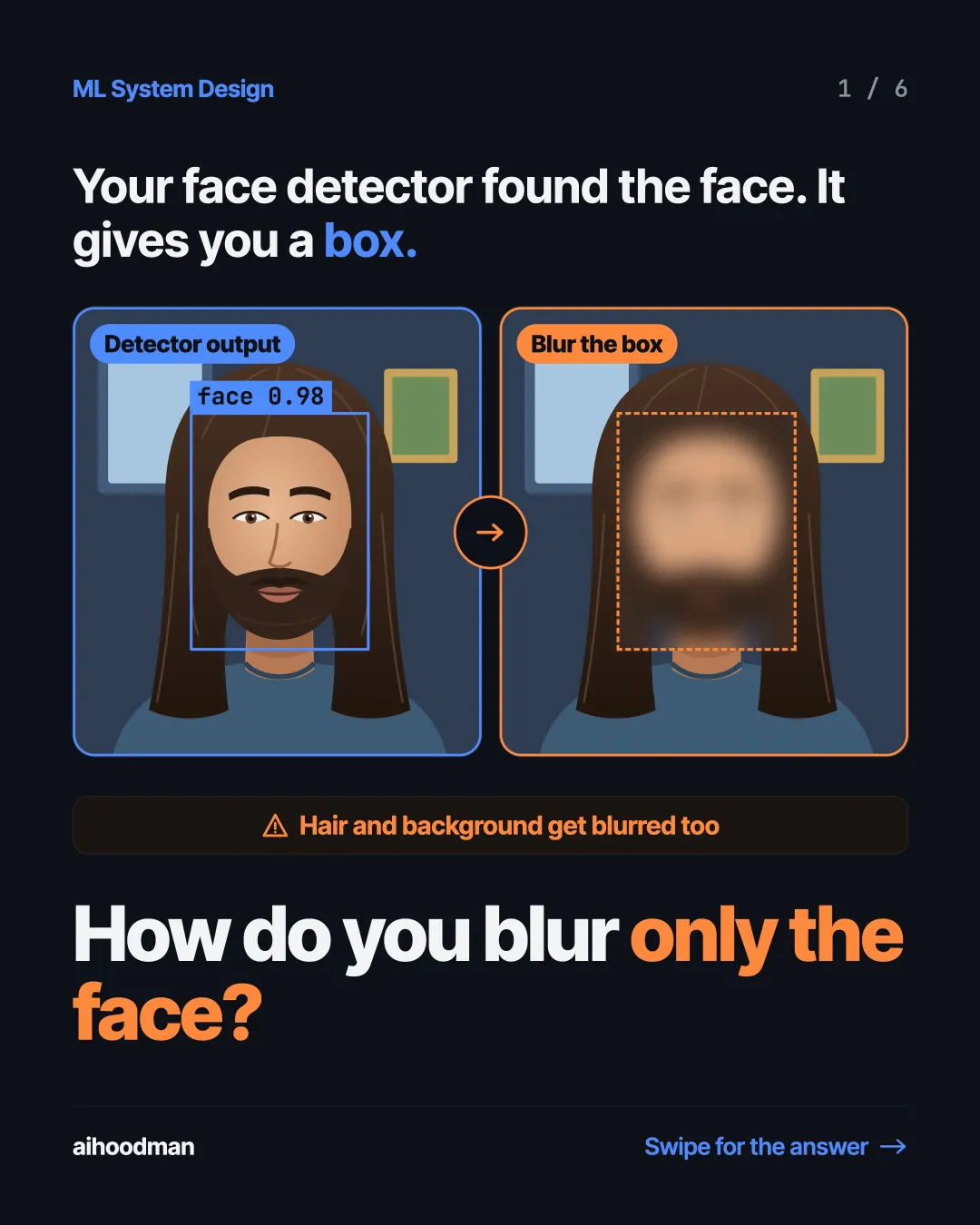
  1. Slide 1 of 6: Your face detector found the face. It gives you a box. Detector output Blur the box face 0.98 Hair and background get blurred too How do you blur only the face?
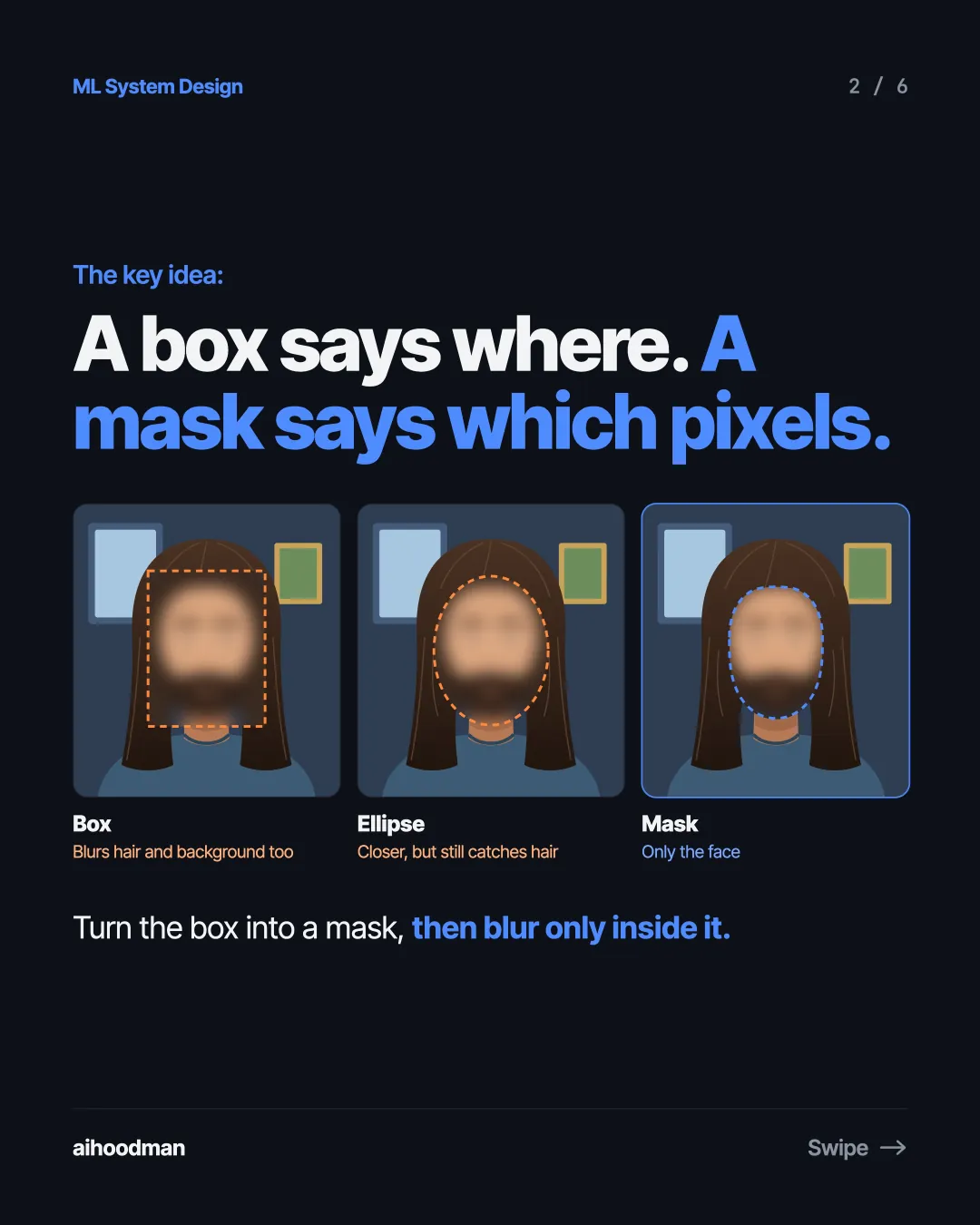
  2. Slide 2 of 6: The key idea: A box says where. A mask says which pixels. Box Ellipse Mask Blurs hair and background too Closer, but still catches hair Only the face Turn the box into a mask, then blur only inside it.
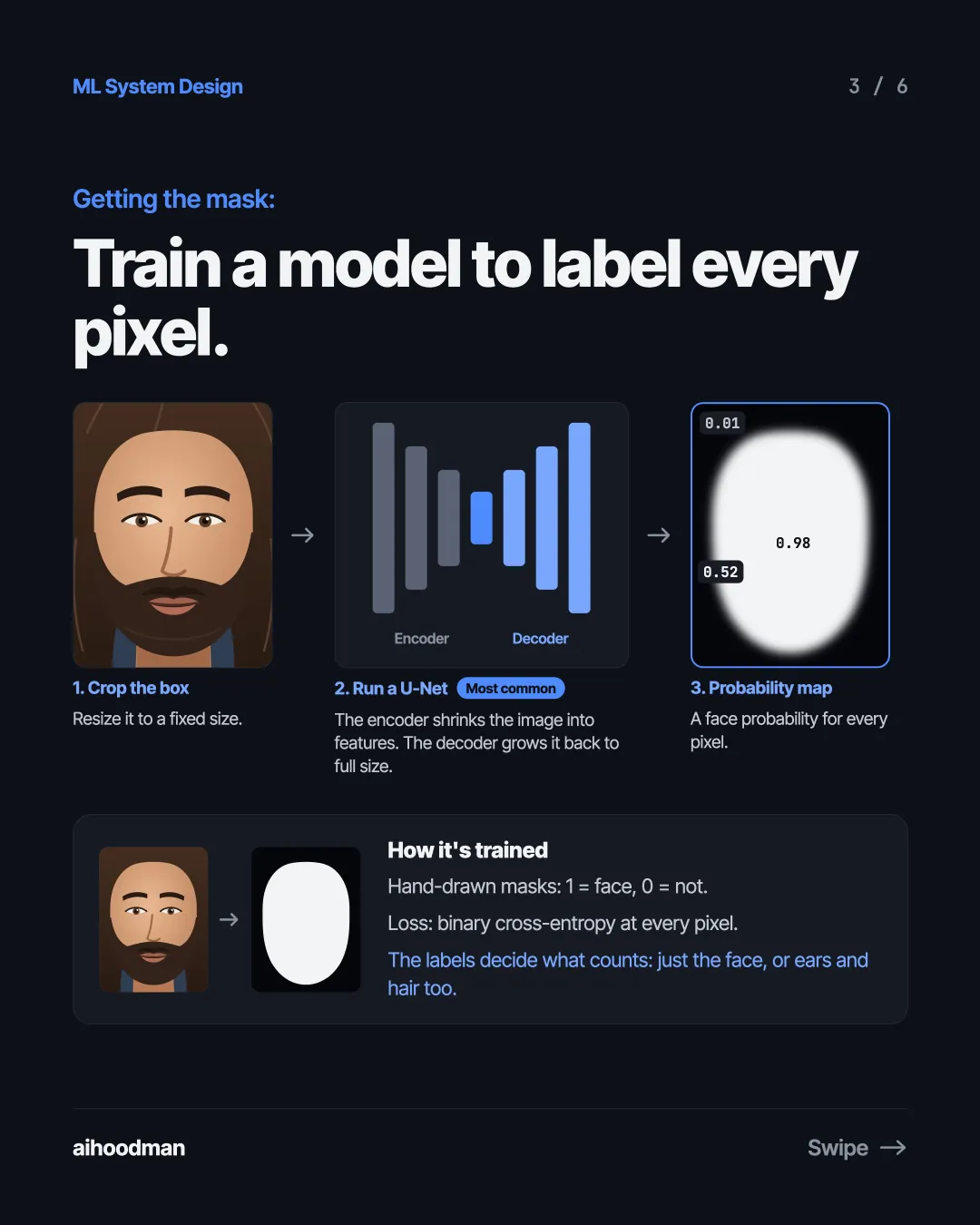
  3. Slide 3 of 6: Getting the mask: Train a model to label every pixel. 0.01 0.98 0.52 Encoder Decoder 1. Crop the box 2. Run a U-Net Resize it to a fixed size. The encoder shrinks the image into features. The decoder grows it back to full size. Most common 3. Probability map A face probability for every pixel. How it's trained Hand-drawn masks: 1 = face, 0 = not. Loss: binary cross-entropy at every pixel. The labels decide what counts: just the face, or ears and hair too.
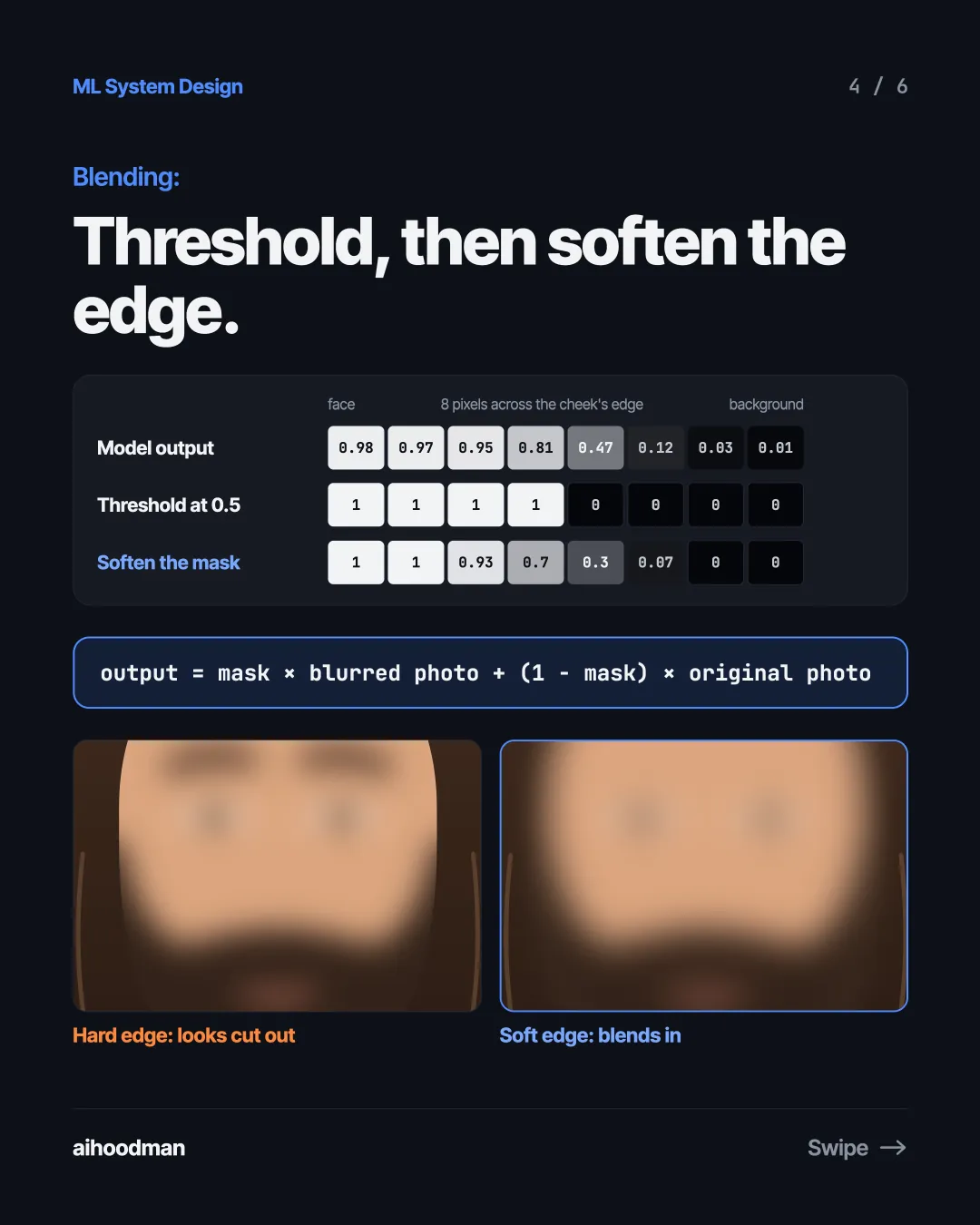
  4. Slide 4 of 6: Blending: Threshold, then soften the edge. face Model output 8 pixels across the cheek's edge background 0.98 0.97 0.95 0.81 0.47 0.12 0.03 0.01 Threshold at 0.5 1 1 1 1 0 0 0 0 Soften the mask 1 1 0.93 0.7 0.3 0.07 0 0 output = mask × blurred photo + (1 − mask) × original photo Hard edge: looks cut out Soft edge: blends in
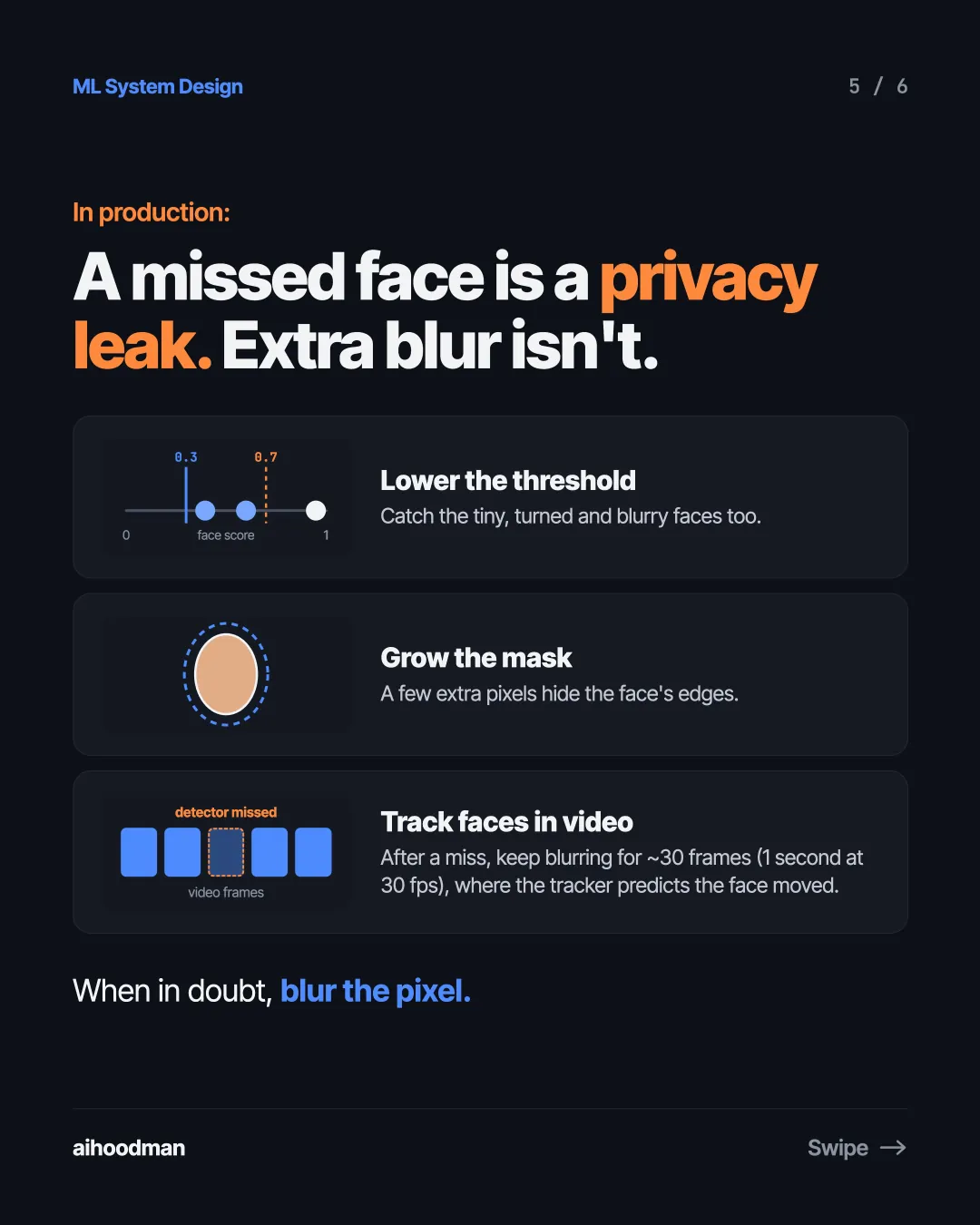
  5. Slide 5 of 6: In production: A missed face is a privacy leak. Extra blur isn't. 0.3 0.7 Lower the threshold Catch the tiny, turned and blurry faces too. 0 face score 1 Grow the mask A few extra pixels hide the face's edges. detector missed video frames Track faces in video After a miss, keep blurring for ~30 frames (1 second at 30 fps), where the tracker predicts the face moved. When in doubt, blur the pixel.
  6. Slide 6 of 6: Takeaway: Blur pixels, not boxes. Never miss a face.

Keep reading

Face-Only Blur · 1 / 6
  1. Slide 1 of 6: Your face detector found the face. It gives you a box. Detector output Blur the box face 0.98 Hair and background get blurred too How do you blur only the face?
  2. Slide 2 of 6: The key idea: A box says where. A mask says which pixels. Box Ellipse Mask Blurs hair and background too Closer, but still catches hair Only the face Turn the box into a mask, then blur only inside it.
  3. Slide 3 of 6: Getting the mask: Train a model to label every pixel. 0.01 0.98 0.52 Encoder Decoder 1. Crop the box 2. Run a U-Net Resize it to a fixed size. The encoder shrinks the image into features. The decoder grows it back to full size. Most common 3. Probability map A face probability for every pixel. How it's trained Hand-drawn masks: 1 = face, 0 = not. Loss: binary cross-entropy at every pixel. The labels decide what counts: just the face, or ears and hair too.
  4. Slide 4 of 6: Blending: Threshold, then soften the edge. face Model output 8 pixels across the cheek's edge background 0.98 0.97 0.95 0.81 0.47 0.12 0.03 0.01 Threshold at 0.5 1 1 1 1 0 0 0 0 Soften the mask 1 1 0.93 0.7 0.3 0.07 0 0 output = mask × blurred photo + (1 − mask) × original photo Hard edge: looks cut out Soft edge: blends in
  5. Slide 5 of 6: In production: A missed face is a privacy leak. Extra blur isn't. 0.3 0.7 Lower the threshold Catch the tiny, turned and blurry faces too. 0 face score 1 Grow the mask A few extra pixels hide the face's edges. detector missed video frames Track faces in video After a miss, keep blurring for ~30 frames (1 second at 30 fps), where the tracker predicts the face moved. When in doubt, blur the pixel.
  6. Slide 6 of 6: Takeaway: Blur pixels, not boxes. Never miss a face.